
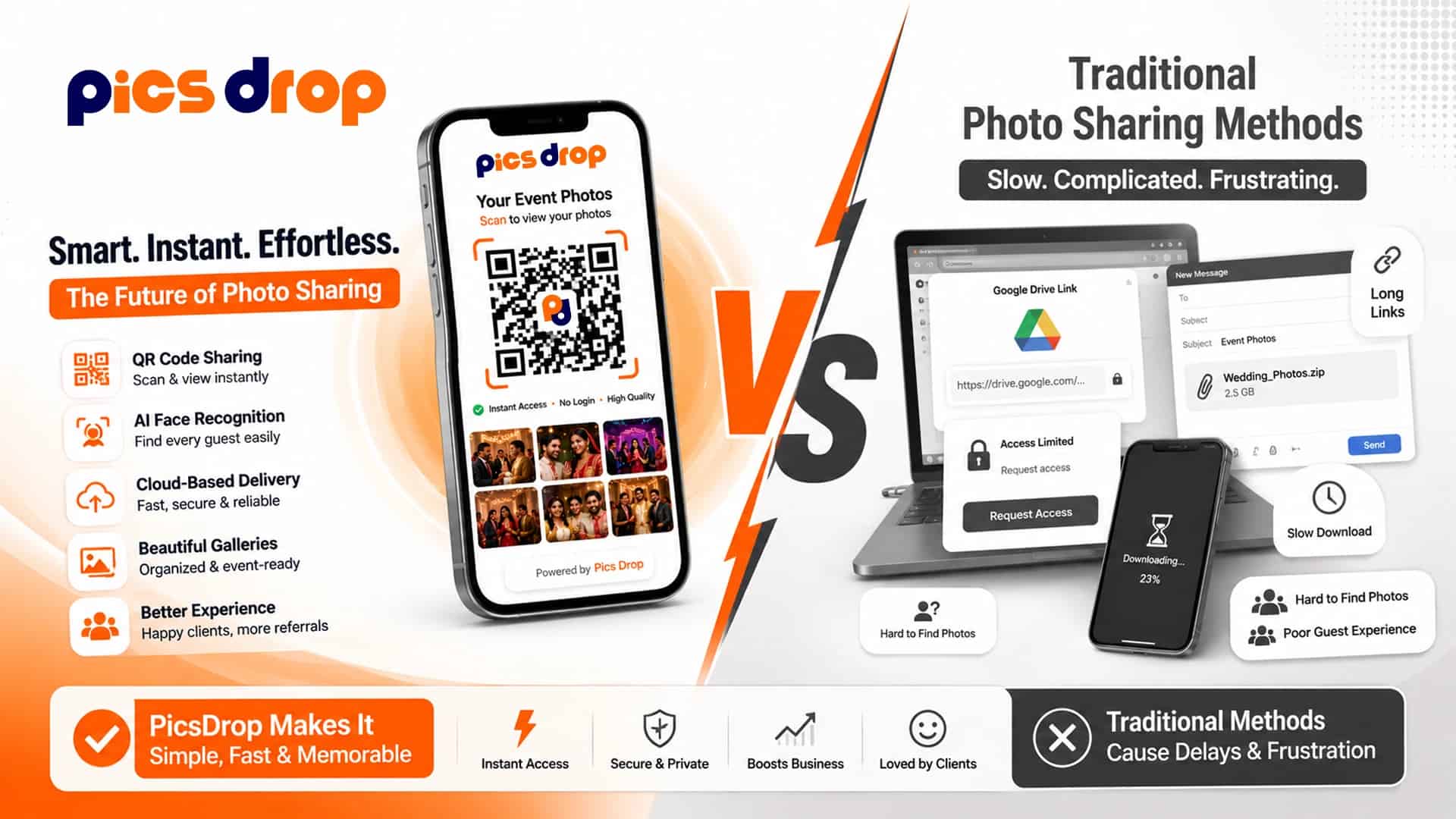
PicsDrop vs Traditional Photo Sharing Methods
Every event photographer knows the feeling. The event is over, memory cards are full, and now comes the part that takes almost as much time as the shoot itself. Organizing thousands of photos, uploading them, creating folders, sending links, and answering messages from guests asking the same question.
"Have you shared my photos yet?"
For years, photographers have depended on cloud storage services, gallery websites, or USB drives to deliver images. These methods still work, but expectations have changed. Guests no longer want to search through hundreds or even thousands of photos just to find a few pictures of themselves. They expect instant access, especially after weddings, corporate events, college festivals, and award ceremonies.
That shift has introduced a new way of sharing event photos. Instead of browsing folders, guests can scan a QR code, take a quick selfie, and instantly see only the photos they appear in. This approach saves time for both photographers and attendees while making photo delivery much smoother.
In this guide, we'll compare traditional photo sharing methods with PicsDrop, explain where each approach works well, and help photographers decide which option fits their workflow.
What Are Traditional Photo Sharing Methods?
Traditional photo sharing simply means delivering event photos through manually managed storage or gallery platforms. After editing the images, photographers upload them to a service and send a download link to clients or guests.
Some of the most common options include:
- Google Drive
- Dropbox
- OneDrive
- Pixieset
- ShootProof
- WeTransfer
- USB drives or hard disks
These platforms were originally designed for storing files or delivering completed work to a client. They are reliable for backups and final deliveries, but they weren't built for helping hundreds of guests quickly find their own photos.
Imagine a wedding with 2,500 images. Even after creating folders, guests still have to open gallery after gallery, scroll through countless thumbnails, zoom into photos, and hope they eventually find themselves. If there are multiple photographers covering the event, the process becomes even more confusing.
For the photographer, the work doesn't end after uploading. Guests often ask for direct links, request individual photos, report download issues, or say they can't locate their pictures. These small requests add up and consume hours after every event.
Traditional sharing isn't broken. It's simply based on a workflow that was created before AI-assisted search became practical for large event galleries.
The Biggest Challenges With Traditional Photo Delivery
Most photographers don't realize how much time is spent after the event until they start tracking it.
A typical workflow usually looks something like this:
Capture the event. Sort thousands of images. Edit the selected photos. Upload everything to cloud storage or a gallery platform. Organize folders. Generate sharing links. Send those links to clients. Then spend the next several days replying to guests who still can't find their photos.
For smaller family shoots, this process is manageable. But for weddings, corporate conferences, school functions, sports tournaments, and public events with hundreds of attendees, it becomes difficult to scale.
Guests face their own frustrations too. Large galleries can take time to load on mobile devices. Some platforms ask users to create an account before downloading images. Others require passwords or email verification. Even when access is simple, manually searching through thousands of photos isn't enjoyable.
By the time many guests finally receive their pictures, the excitement around the event has already started to fade. Social media posts have already been made, conversations have moved on, and the opportunity to share memories while they're still fresh is often missed.
These challenges have encouraged photographers to look for faster and more guest-friendly alternatives.
PicsDrop vs Traditional Photo Sharing (Quick Comparison)
| Feature | Traditional Methods | PicsDrop |
|---|---|---|
| Photo Search | Manual scrolling through folders | AI-powered face search |
| Guest Experience | Time-consuming and confusing | Instant and simple |
| Access Method | Links, passwords, accounts | QR code + selfie |
| Time to Find Photos | Minutes to hours | Seconds |
| Photographer Effort | High post-event support | Minimal support needed |
| Scalability | Difficult for large events | Built for large crowds |
| Mobile Experience | Often slow or cluttered | Optimized for mobile |
What Is PicsDrop?
PicsDrop is an AI-powered event photo sharing platform designed specifically for photographers who cover weddings, corporate events, concerts, exhibitions, college festivals, sports competitions, and other large gatherings.
Instead of asking guests to browse huge galleries, PicsDrop helps them find only the photos they appear in.
The process is simple.
The photographer creates an event, uploads photos, and displays the event's QR code at the venue or shares it later with attendees. Guests scan the QR code, take a quick selfie, and the system searches the uploaded gallery for matching faces. Within seconds, guests can view and download only their own photos directly from their mobile browser.
No endless scrolling. No folder hunting. No downloading another app.
For photographers, this reduces support requests, saves hours of post-event communication, and creates a smoother delivery experience without changing the way they capture or edit photos.
Frequently Asked Questions
1. What is the difference between PicsDrop and traditional photo sharing?
Traditional photo sharing requires guests to browse folders or galleries manually. PicsDrop uses AI face recognition, allowing guests to find only their own event photos after taking a selfie.
2. Can I use Google Drive to share event photos?
Yes. Google Drive works well for storing and sharing files, but it isn't designed for large events where hundreds of guests need to quickly find their own photos.
3. Does PicsDrop require guests to install an app?
No. Guests simply scan the event QR code, open the gallery in their mobile browser, take a selfie, and view their matching photos without installing any app.
4. Which photo sharing method is better for wedding photographers?
For guest photo delivery, AI-powered platforms like PicsDrop offer a faster experience. Many photographers still use traditional galleries later to deliver the final edited album to the client.
5. Is face recognition safe for event photo sharing?
Yes. PicsDrop uses face matching only to help guests find their photos. Facial data is processed securely and managed according to the platform's privacy policy.
6. Can PicsDrop handle large events?
Yes. It is built for weddings, corporate events, school functions, concerts, sports events, and festivals where thousands of photos may be uploaded.
7. Can photographers use both PicsDrop and traditional galleries?
Absolutely. Many photographers use PicsDrop for instant guest access during the event and later share the final edited collection through traditional gallery platforms.
8. Who should use traditional photo sharing methods?
Traditional methods are suitable for small projects, private client deliveries, backups, or situations where AI photo search isn't required.
One of the biggest advantages of AI-powered platforms is that they help photographers deliver event photos faster without spending hours organizing folders and responding to guest requests.