
Client Booking & Scheduling
PicsDrop simplifies event scheduling for photographers. Manually book any client, track advance payments directly, and view your schedule date wise so you know exactly how many bookings you have on any given day without any complex automated setups.

How it works & What you get
A closer look at what's inside the Event Booking module.
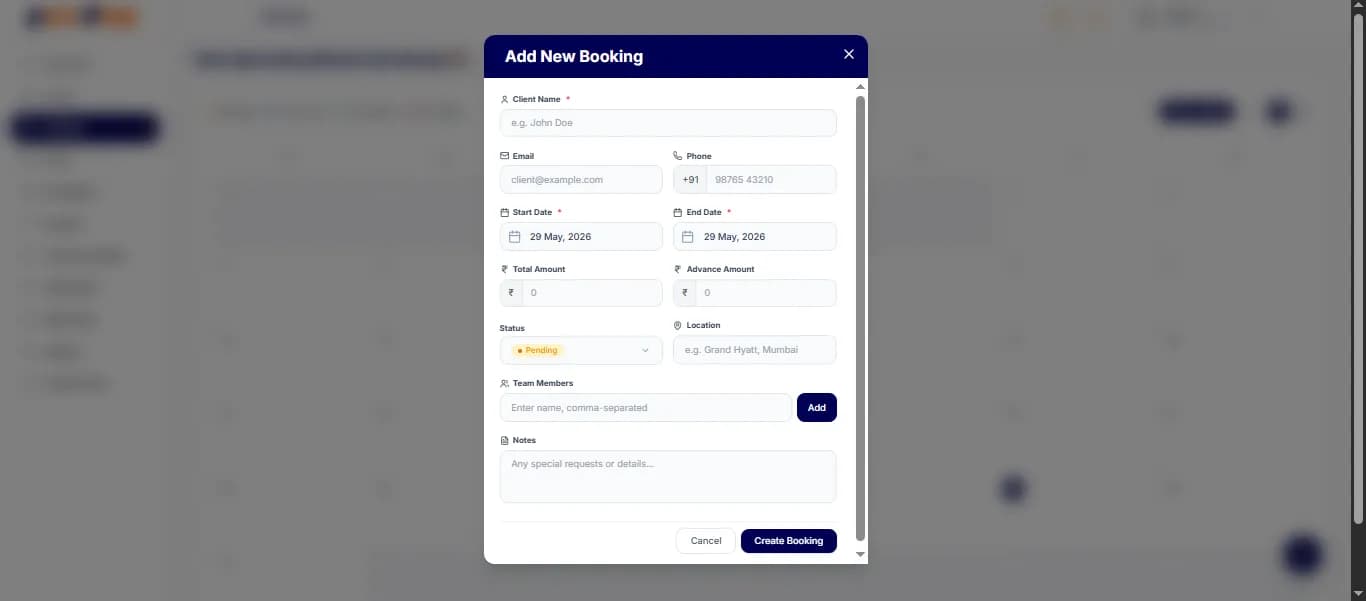
Booking Creation
Directly create bookings for any user without waiting for automated links. Input client details, event type, and date manually to block the day in your schedule.
- Quick client details entry
- Flexible event configurations
- Instant booking slot allocation
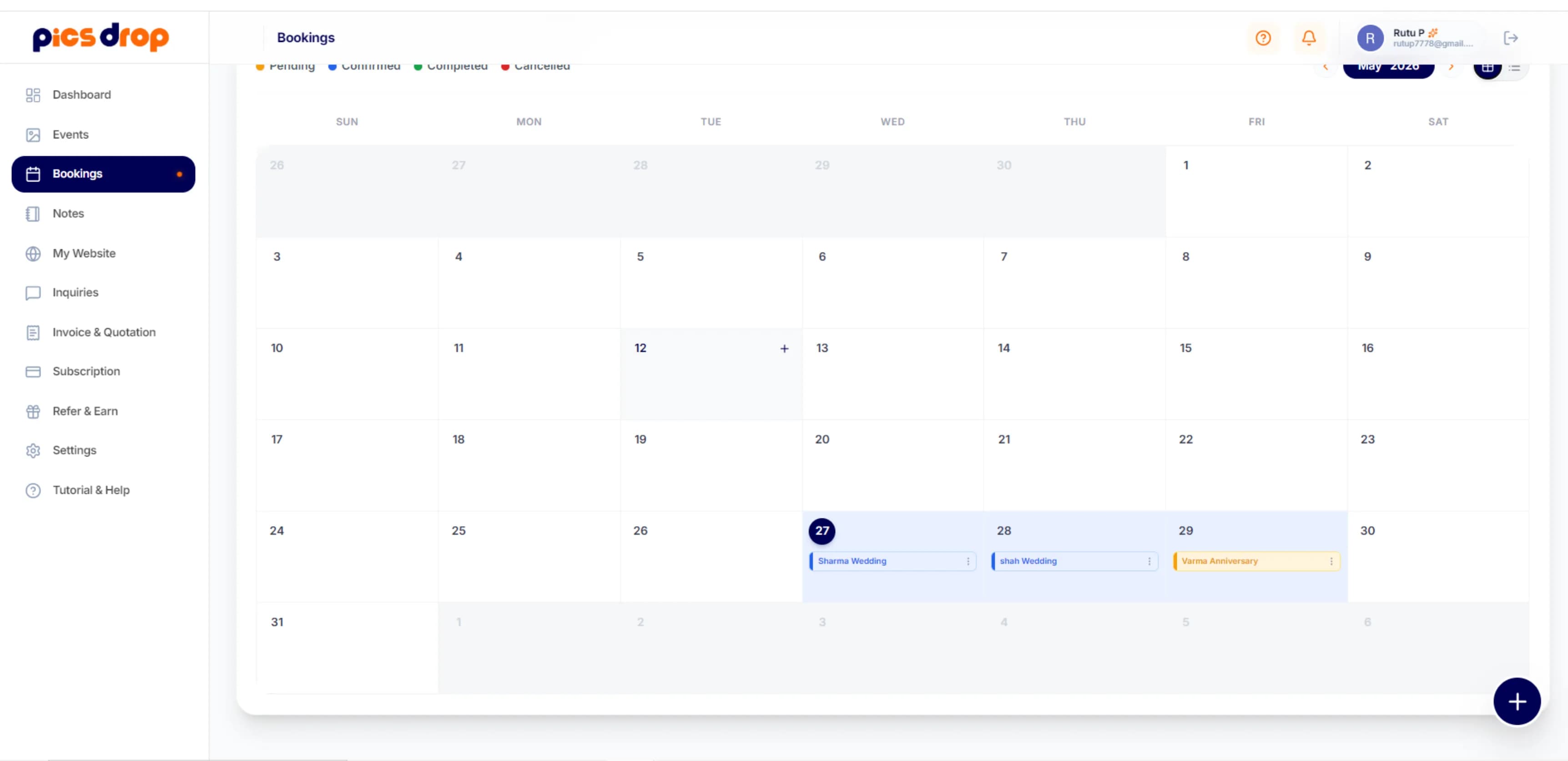
Date Wise Calendar Overview
Get a clear view of your schedule by date. See exactly how many events are booked on any specific day, making it easy to plan your availability.
- Organized date wise calendar
- Simple slot counting per day
- Prevents double booking mistakes
Event Booking — FAQs
Yes. You can add bookings for any user manually by entering their name, contact details, and the event date directly from your dashboard.
You can manually enter and update the advance payment received for each booking, allowing you to track payment statuses easily.
Yes. The booking manager lets you view your schedule date wise, showing exactly how many bookings are scheduled for any selected day.
Ready to try it?
Start using Event Booking free today.
No credit card needed. Set up your first event in under a minute and see the difference.
Ready to transform your event photography?
Host your next event, automate client onboarding, print high fidelity QR codes, and deliver photos instantly.