
Create & Setup Event
Setting up an event on PicsDrop takes under a minute. Add your branding, organize event categories with sub events (like Wedding containing Haldi, Dandiya, Reception), assign co hosts, and go live with a shareable event link no technical setup required. Your clients get a clean, fast interface built for their photos, not for generic storage.

How it works & What you get
A closer look at what's inside the Create Event module.
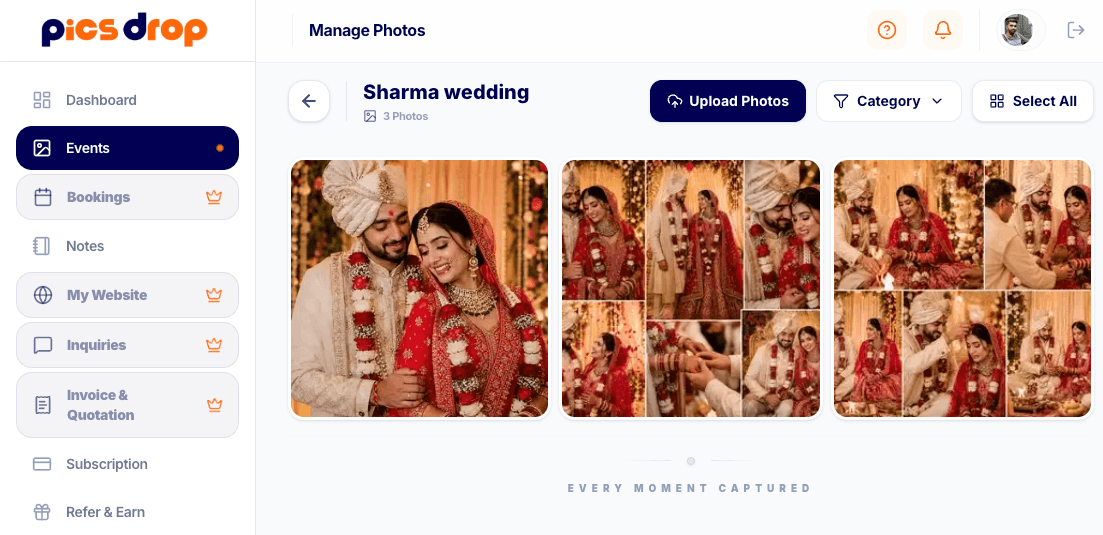
Event Dashboard, Ready in Seconds
Create your event page, add your logo and a banner, set access permissions, and get a live URL all before you even reach the venue. Each event gets its own shareable link that guests can open without downloading anything.
- Custom color themes and logo uploads
- Public or OTP protected guest access
- Live URL generated on creation
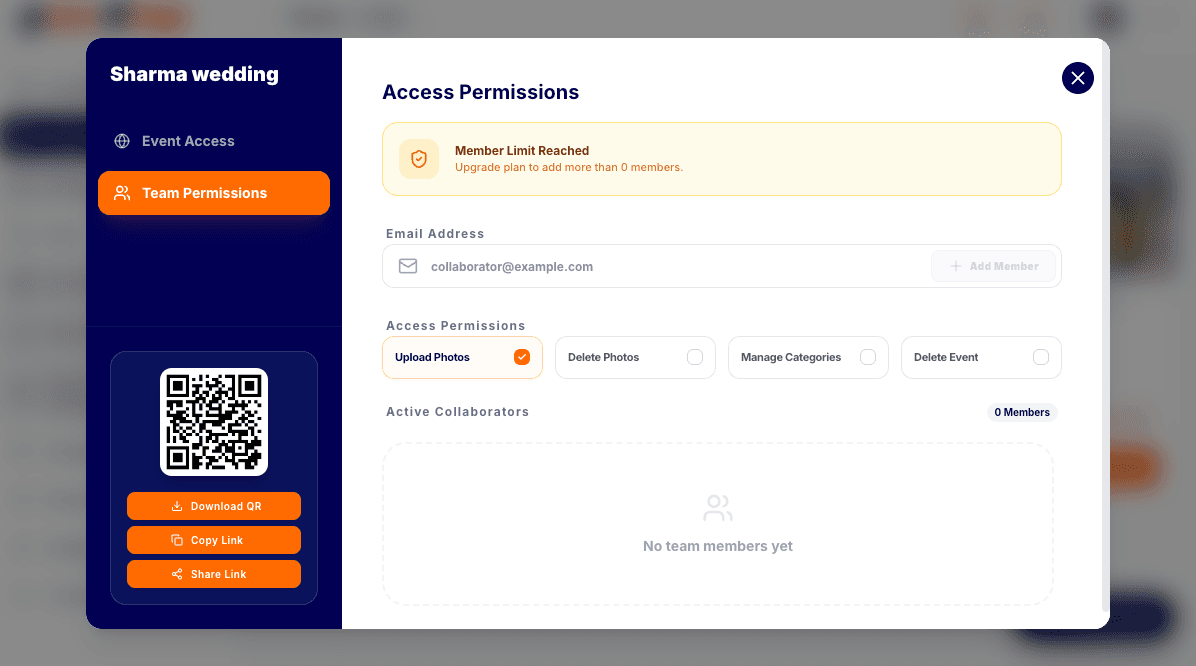
Team Collaboration Without Credential Sharing
Give co photographers or event coordinators access to upload and manage photos without handing over your account password. Set exactly what each person can do upload only, edit, or full admin access.
- Set roles like Viewer, Uploader, Editor, or Admin
- Live upload stats and active session counts
- Generate individual access keys instantly
Create Event — FAQs
Most photographers have their event live in under 60 seconds. You just add a name, upload a banner, set access permissions, and hit publish. The shareable URL is ready immediately.
Yes. You can add co hosts with specific role permissions Viewer, Uploader, Editor, or Admin. They get their own access key, so you never need to share your account password.
Guests open the event link directly in their browser no app install, no account signup. They just scan the QR code or tap the link and they're in.
Yes. You can set the event to Public (open to anyone with the link) or OTP Locked (guests enter a code to access). This is useful for private weddings or corporate events.
Ready to try it?
Start using Create Event free today.
No credit card needed. Set up your first event in under a minute and see the difference.
Ready to transform your event photography?
Host your next event, automate client onboarding, print high fidelity QR codes, and deliver photos instantly.